How Helpiner Works?

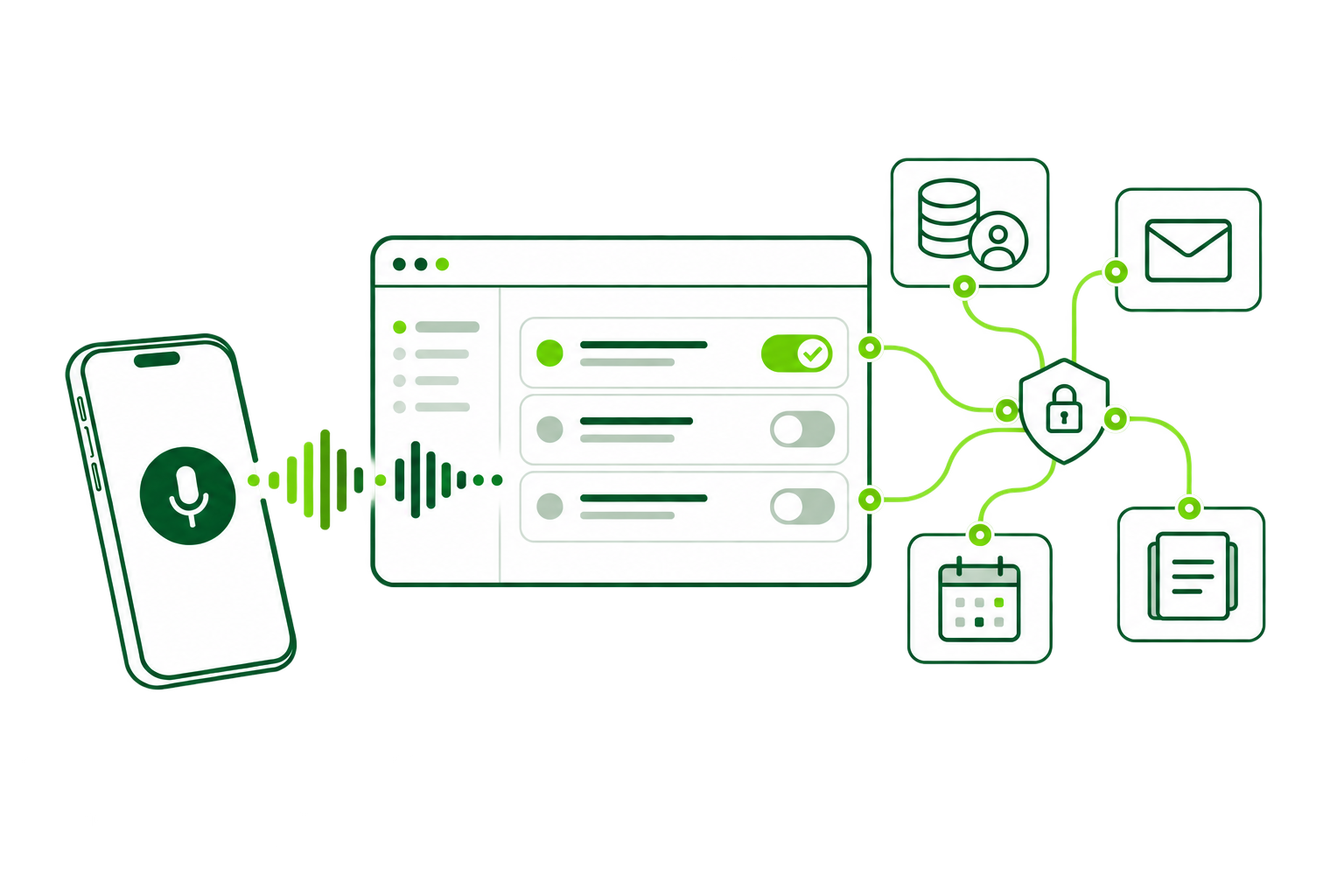
A simple request becomes a controlled workflow: Helpiner understands the goal, gathers context, shows the plan and completes only the actions your rules allow.

  1. Speak naturally

    Describe the outcome you need in everyday language. Helpiner turns the goal into a request without forcing you to learn commands.

    Speak naturally
  2. Intent analysis

    It identifies the goal, checks the available context and asks for missing details before any work begins.

    Intent analysis
  3. Tool selection

    It chooses the relevant systems and data, while respecting the access available to the person making the request.

    Tool selection
  4. Plan approval

    You see exactly what will happen before a sensitive action runs. Approve the plan, change it or stop it.

    Plan approval
  5. Execution and result

    Helpiner completes the permitted steps, leaves an accountable record and clearly reports what happened.

    Execution and result

Helpiner for the Work That Matters

Project management

Keep projects moving

Keep projects moving without spending your day updating tools, chasing information, and coordinating across teams.

  • Create and update project tasks
  • Track deadlines and project progress
  • Get instant project updates
  • Coordinate work across teams
  • Turn conversations into action items
  • Automate recurring project work
Services

Move service forward

Help your service team respond faster, manage requests, and keep customer work moving across all your systems.

  • Manage customer service requests
  • Find customer information instantly
  • Create and update service tickets
  • Track open issues and follow-ups
  • Automate repetitive service tasks
  • Keep customer work moving
Sales

Sell more Admin less

Give sales teams more time to sell by reducing manual CRM work and making customer information available when they need it.

  • Update CRM records by voice
  • Find customer and deal information
  • Create and manage sales tasks
  • Track opportunities and follow-ups
  • Prepare for customer conversations
  • Automate repetitive sales admin

One control layer for every agent workflow

Helpiner connects agents, integrations and company knowledge under rules set at company, integration, function, team, role and user level. It checks what is missing, keeps outputs consistent and makes sensitive actions visible before they happen.

Required data

Set the minimum information, format and follow-up actions required before a function is complete.

Access and permissions

Limit every agent and step to the systems, data and actions available to that user or role.

Human approval

Keep a person in control of sensitive actions with plans that can be confirmed, edited or cancelled.

Company knowledge

Ground work in documentation, RAG sources, internal terms, live data and reusable memory.

Deploying Helpiner in your company

From the first conversation to a supported rollout, each stage builds on what we learn together.

  1. Meet

    Online call

    Get to know Helpiner, discuss your processes and identify the best use cases for your company. Together, we define where it can save time and the next steps.

  2. Connect

    Tech setup

    Configuring access rights and security according to corporate standards. Testing functionality and initial fine-tuning.

  3. Pilot

    Real experience

    Test phase with selected users and collection of feedback. Adjustments based on initial experiences.

  4. Use

    New opportunities

    Implementation of Helpiner across the entire organization. Regular updates and optimization based on company needs. Technical support and performance monitoring.

Choose the First Process to Validate

Discuss a concrete workflow, the required systems, approvals and the metric that will show whether a pilot delivers value.

Explore Helpiner

Frequently Asked Questions

What is Helpiner?

Helpiner is a centrally governed AI agent layer that lets teams control business systems by voice or natural language. It understands a request, prepares a plan and performs approved actions across connected applications.

How does voice control for business systems work?

A user describes a goal in everyday language. Helpiner identifies the intent, asks for missing information, selects the relevant connected tools, prepares a plan and carries out permitted steps after approval.

Which business systems can Helpiner connect to?

Helpiner can connect to CRM, ERP, email, calendars, project tools, databases and other internal systems. The product brief also describes more than 1,400 integrations, with exact connector capabilities verified for each project.

How does Helpiner keep AI workflows under control?

Companies define required data, permissions, approvals and execution rules. Helpiner follows user access rights, makes sensitive actions visible before execution and records approved work for traceability.

Who can use Helpiner?

Helpiner can support sales, service, project management, marketing, HR and customer support teams with workflows designed around their systems, data and responsibilities.

Can Helpiner start workflows automatically?

Yes. Depending on the setup, a workflow can start from a voice or text request, a system event such as a webhook, or a configured schedule. Each process defines whether it runs automatically or waits for approval.